


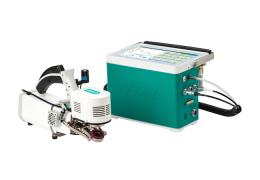
Auto Controls
The Auto Controls (under the Environment tab) are settings that instruct the LI-6800 to control a variable setpoint based upon parameters that you specify. The auto controls can be configured to change during a prescribed time period. Auto controls will override any setpoint or manual settings on the individual environmental control tabs.
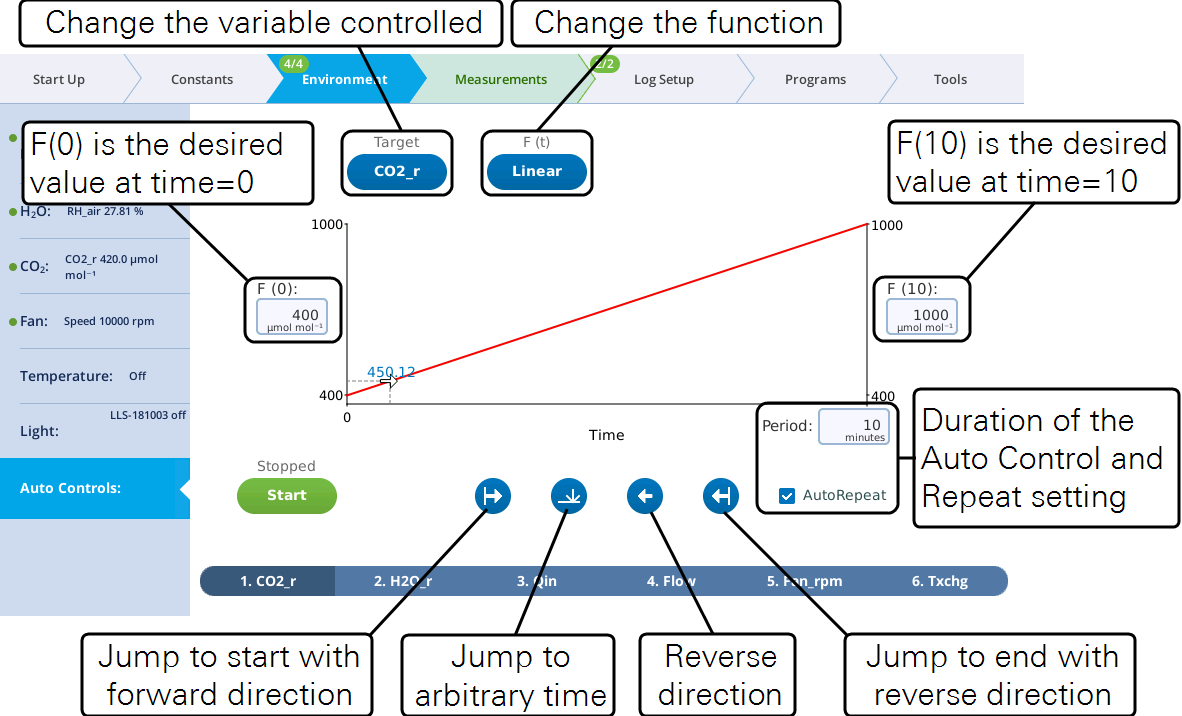
Each control can be configured to be:
- A setpoint at the start time: F(0).
- A setpoint at the stop time: F(x), where x is the time period in minutes.
- The Period (minutes) with the option to repeat automatically.
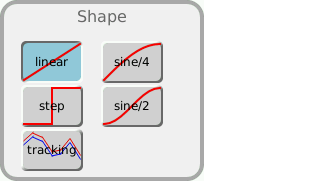
- A shape: F(t), which can be linear, step, sine/4, sine/2 (half sine), or tracking.
As an Auto Control is in progress, you can change the timing:

|
Jump to start with forward direction. |

|
Jump to arbitrary time. Tap to choose a time setpoint.
|

|
Reverse direction. |

|
Jump to end with reverse direction. |

Auto Controls can be used for tracking. Rather than following a prescribed curve, such as a linear change between two end points, in tracking mode the setpoint comes from some other measurement or computation. The F(0) and F(x) values are meaningless in this mode, but the Period still matters, unless AutoRepeat is on, in which case tracking will run forever.
The following exercise shows a basic CO2 Auto Control. Begin by setting up a graph so you can see the measurements as the curve develops. Be sure the instrument has a charged CO2 cartridge and fresh soda lime.
- Set up a graph that shows CO2_r and CO2_s.
- This might be graph C by default, but if not, select a graph to configure, then:
- Tap Edit Graphs
- Tap + and add the variables CO2_r and CO2_s, if needed
- Set Y-scaling to Fixed
- Set Y-axis to Y-left
- Set the range to Min: 100 and Max: 600 µmol mol-1.
- Configure the Flow controls. Under Environment > Flow:
-
- Turn flow On
- Set Pump speed to Auto
- Set Flow to 500 µmol s‑1
- Close the empty leaf chamber.
- Configure the Auto Control. Under Environment > Auto Controls > Control: CO2_r, set the following:
-
- F(0): 200 µmol mol‑1
- F(x): 500 µmol mol‑1
- Period: 1 minute
- AutoRepeat: Check the box
- F(t): Sine/2
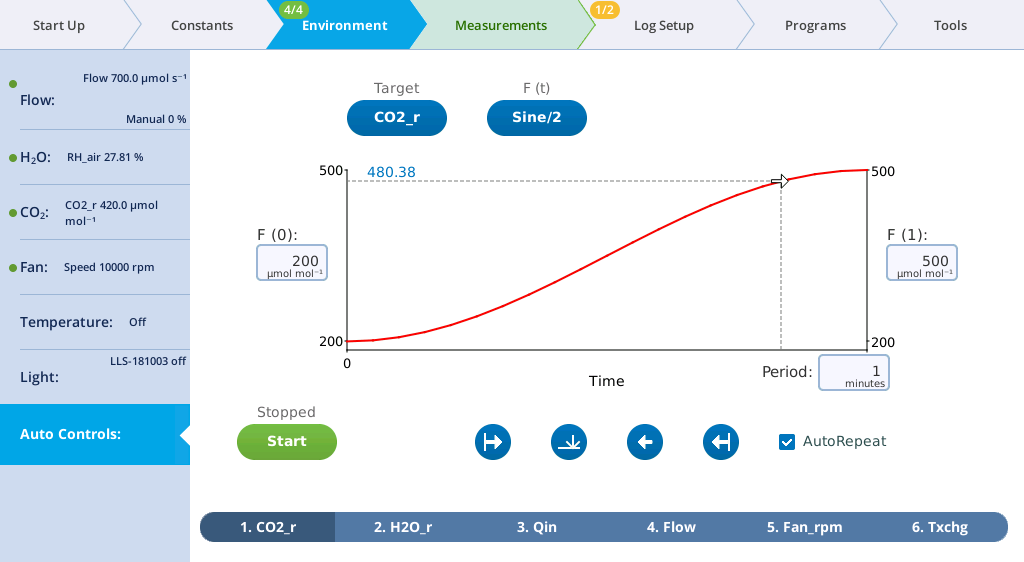
- Tap the Start button to start the Auto Control.
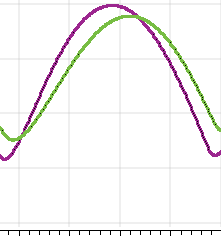
- Go to the Measurements tab and watch the graph develop for a few minutes. After a few minutes go back to the Auto Control tab and set F(t): linear.
Now set some Auto Controls on fan speed, flow rate, H2O, light, and temperature to see how they work.
Keep in mind that the instrument is not logging any data. That will come later, in Open a log file.
When the instrument is running an Auto Control, the environmental controls will be covered with a box that says Controlled by Auto .... It will not prevent you from making changes, and in fact you can. When you change a setting using the manual controls, the setting will apply until the next auto control takes over. It will be hard to manually override an auto control because the settings are changing every few seconds.
Control picker
When choosing controls, either in Auto Controls or Programs, you select a Group, and from that group, a variable Name. The groups and names are available for Auto Controls and Programs. Several Programs are capable of setting constants and settings, and those groupings are shown in Table 3‑6.