



Reference evapotranspiration (ET)
Reference evapotranspiration (ET) can be computed for RX stations if data are available from sensors.
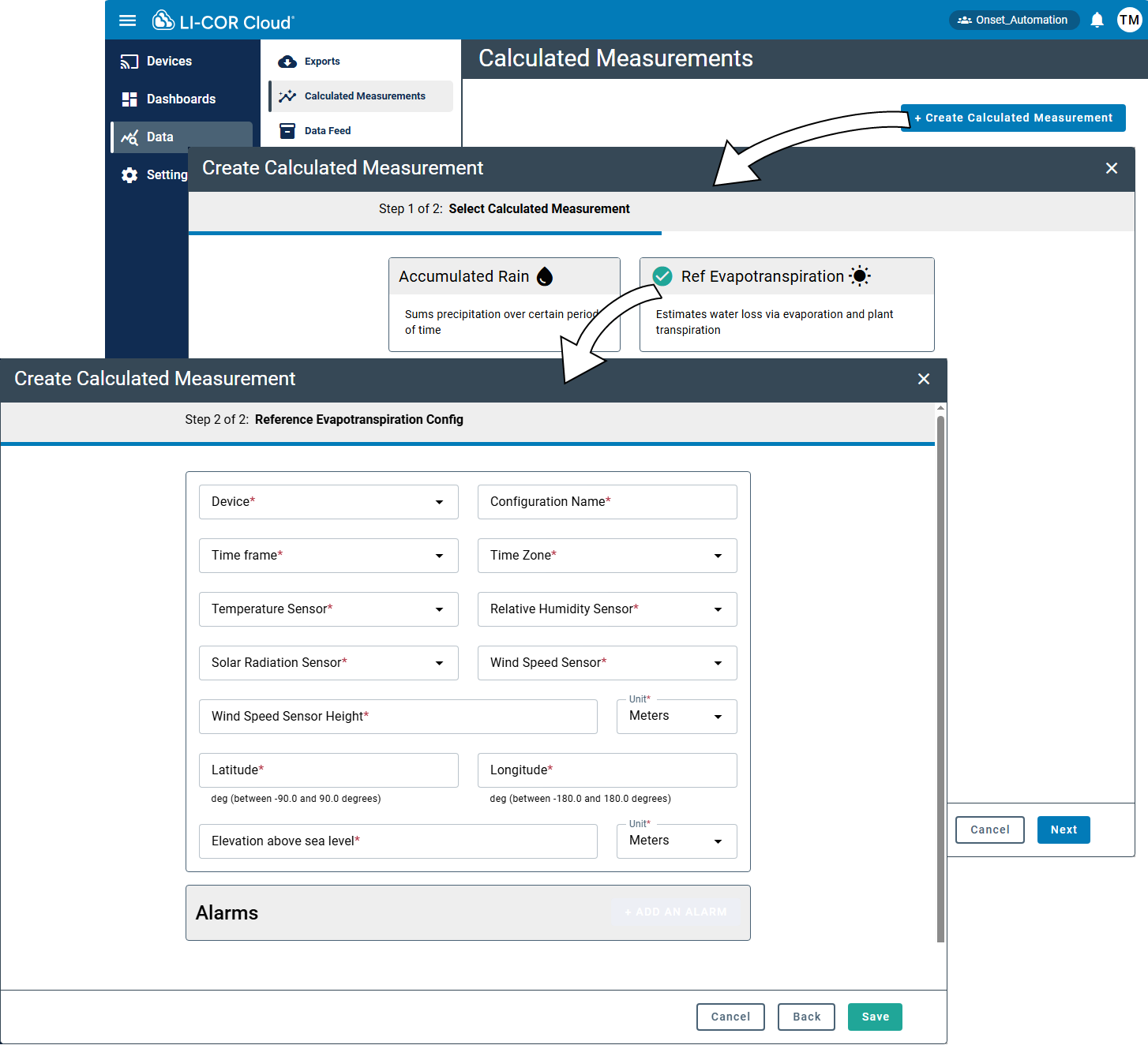
| Field | Description |
|---|---|
| Device | A device serial number and possibly sensor number for the measurement. LI-COR Cloud uses this name to identify the measurement |
| Configuration Name | A memorable name that can help you identify the configuration |
| Time frame | Reference ET can be summarized either hourly or daily |
| Time Zone | The time zone where the measurement is taken |
| Temperature Sensor | Sensor that contributes the air temperature measurement |
| Relative Humidity Sensor | Sensor that contributes the RH measurement |
| Solar Radiation Sensor | Sensor that contributes the solar radiation measurement |
| Wind Speed Sensor | Sensor that contributes the wind speed measurements |
| Wind Speed Sensor Height | Height above ground for the wind speed sensor |
| Sensor Height Units | Units for the wind speed sensor height above ground |
| Latitude | Degrees between -90 and 90 |
| Longitude | Degrees between -180 and 180 |
| Elevation Above Sea Level | Elevation |
| Elevation Units | Units for elevation |
Configuring the reference ET measurement
To create a calculated measurement for reference evapotranspiration:
-
Select Data > Calculated Measurements and click +Create Calculated Measurement.
-
Select Ref Evapotranspiration and click Next.
-
Configure the settings for the measurement.
-
Save the settings.
Now you can configure alarms and view data directly on the devices tab or add the calculated measurement to a Dashboard and view the data in a Widget (see Creating dashboards).
Configuring a reference ET alarm
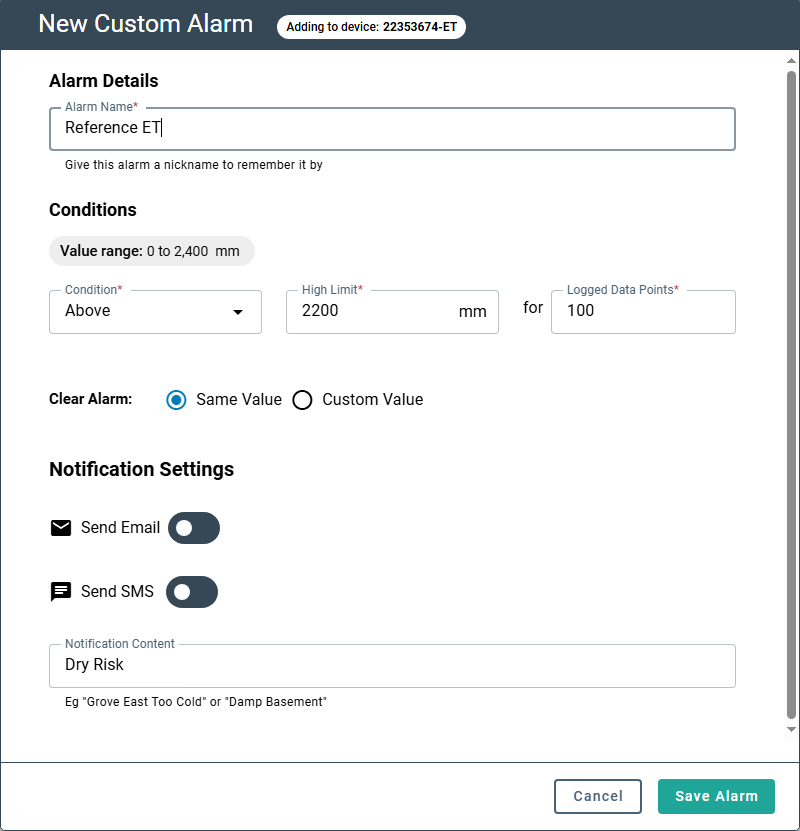
To configure an alarm for the calculated measurement, click + Add Alarm in the interface:
Be sure to Save the settings.