Accumulated rain
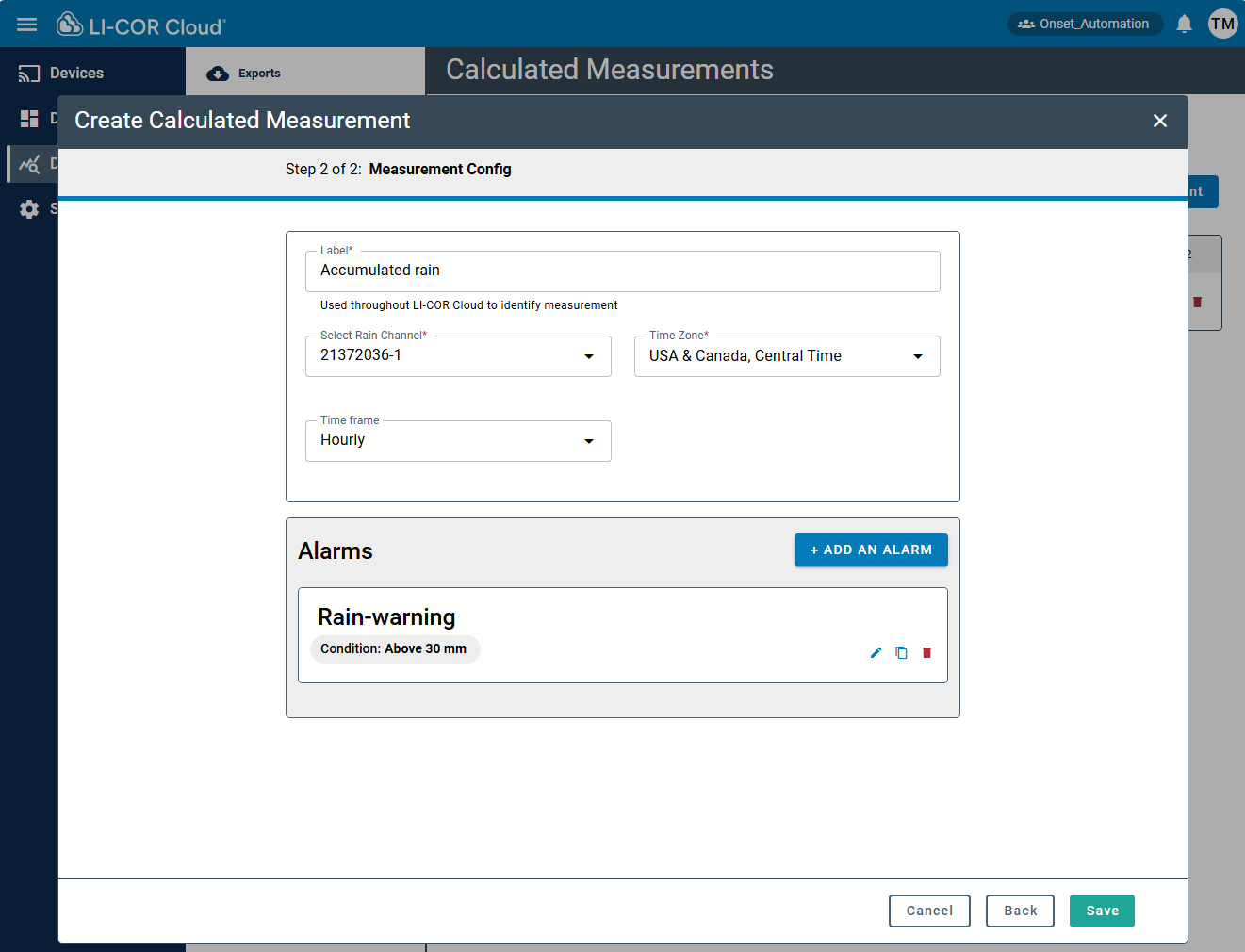
Accumulated rain provides the total rainfall for a time period. The interface provides the following fields:
| Field | Status | Description |
|---|---|---|
| Label | Required | A nickname for the measurement. LI-COR Cloud uses this name to identify the measurement. |
| Rain Channel | Required | The channel you want to use for the measurement. |
| Time Zone | Required | The time zone where the measurement is taken. |
| Time Frame | Optional | The time frame over which you want to accumulate the measurement. |
Configuring the calculated measurement
To create a calculated measurement for accumulated rain:
-
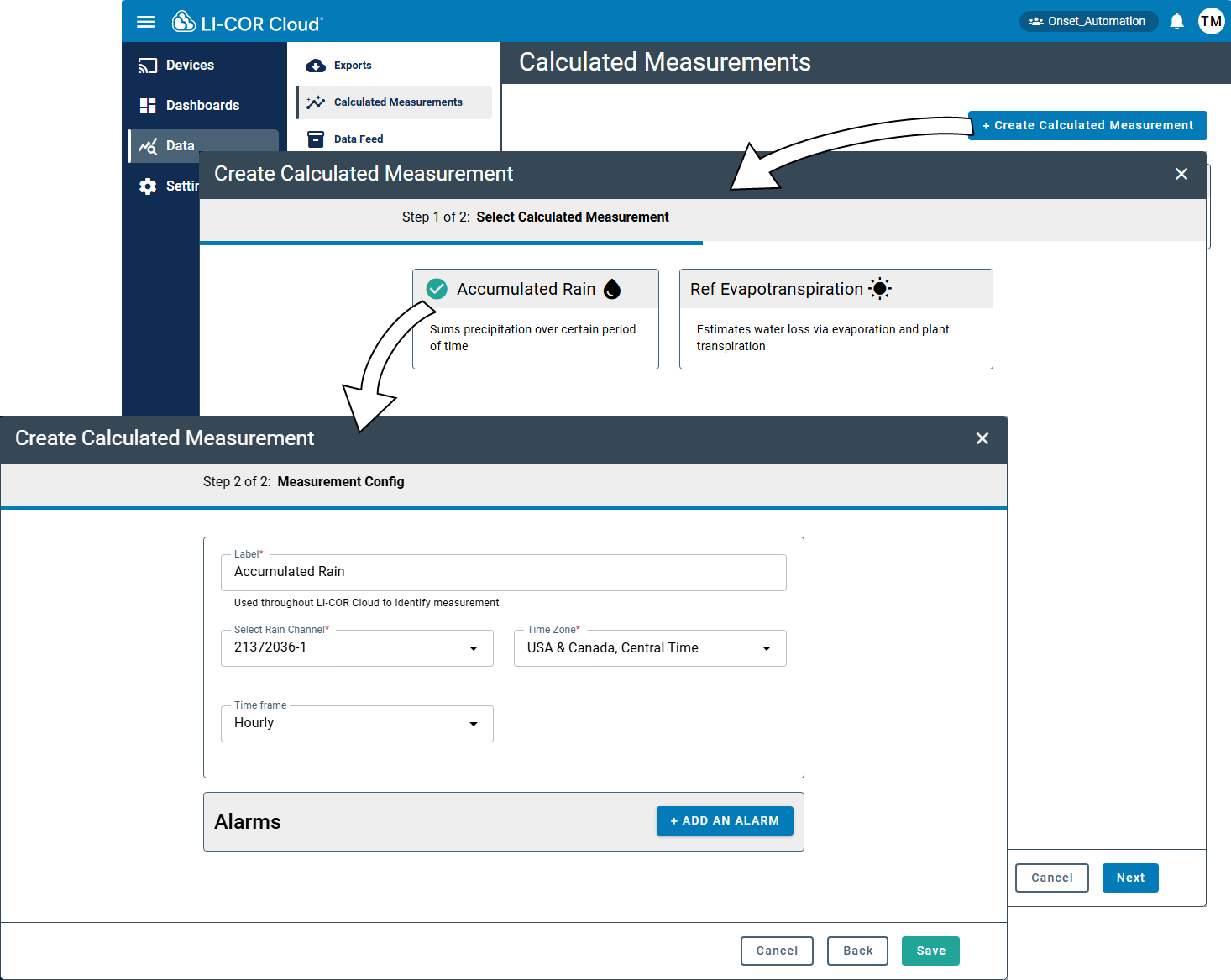
Select Data > Calculated Measurements and click +Create Calculated Measurement.
-
Select Accumulated Rain and click Next.
-
Configure the settings for the measurement.
-
Save the settings.
Now you can configure alarms and view data directly on the devices tab or add the calculated measurement to a Dashboard and view the data in a Widget (see Creating dashboards).
Configuring an alarm
To configure an alarm for the calculated measurement, click +Add Alarm in the interface:
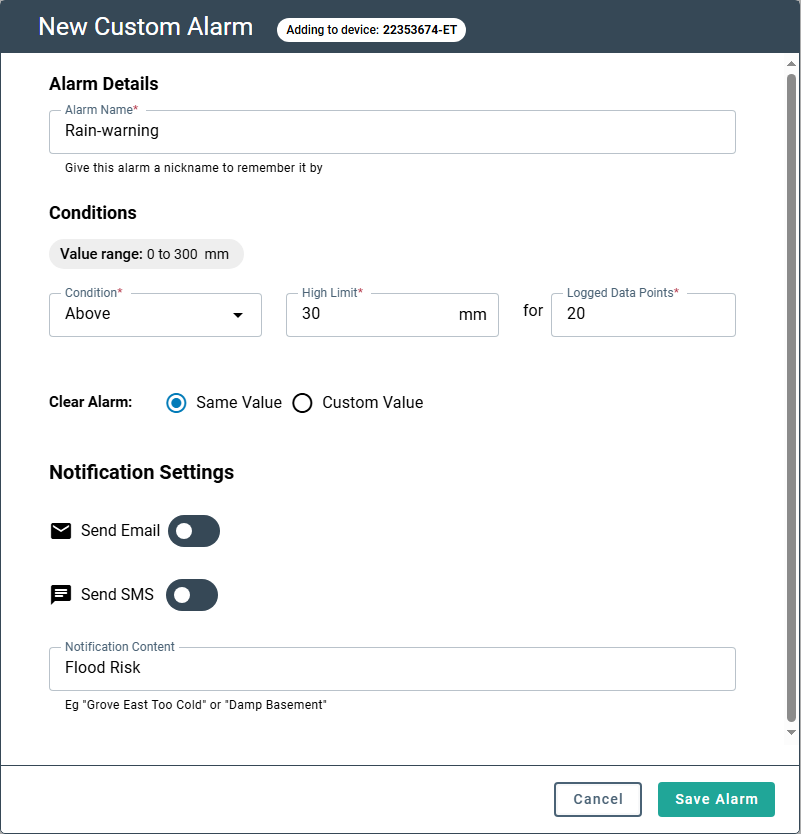
Be sure to Save the settings.